Editing Source Files using Eclipse and FTP: Difference between revisions
Jump to navigation
Jump to search
No edit summary |
|||
| Line 13: | Line 13: | ||
---- | |||
*Links | |||
** In case you like vi (or vim) better: https://stackoverflow.com/questions/58937739/edit-sqlrpgle-file-over-ftp-with-vim | |||
*Footnotes | |||
<references/> | |||
[[Category: Basic Knowledge]] | [[Category: Basic Knowledge]] | ||
Revision as of 15:40, 9 January 2020
You can access all your files using FTP. This article will show you how to Edit-In-Place with Eclipse Neon.3 and Remote Systems Extension.
Setting up the connection
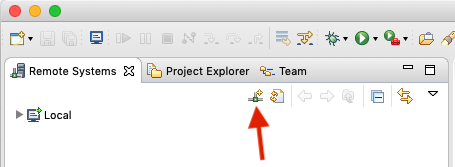
- Add a new connection:
- Choose FTP:
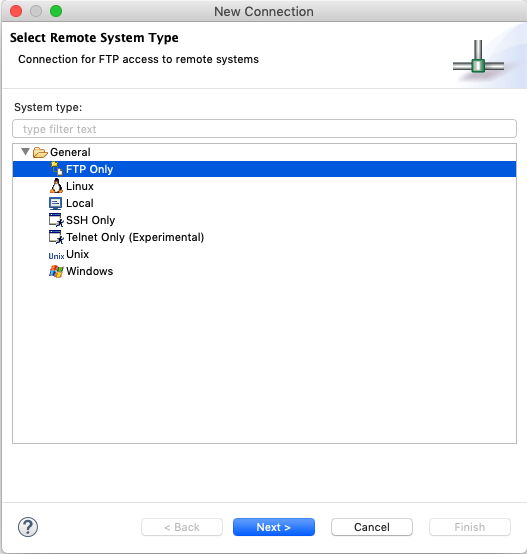
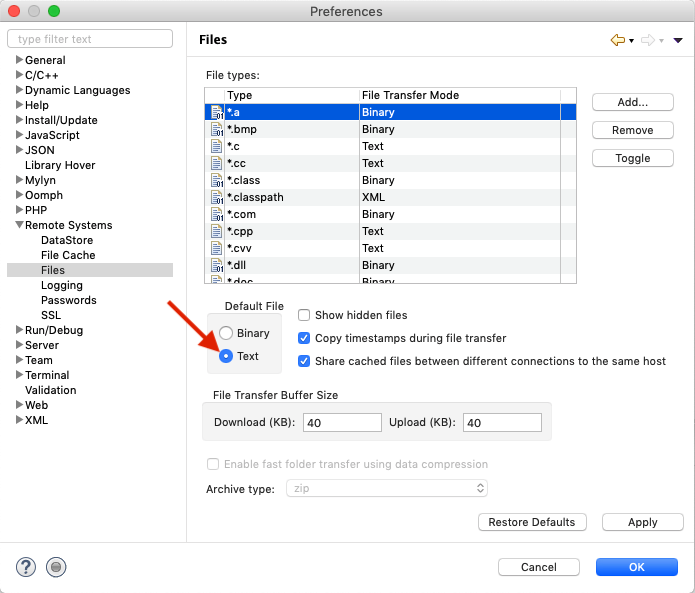
Input your hostname, username and so on. - Open Preferences and set transfer mode for files to ASCII:


Setting up a filter to access files
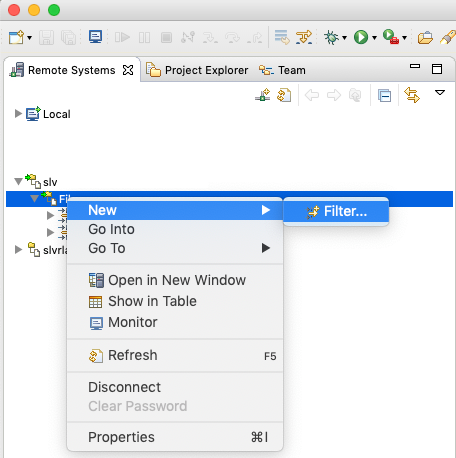
You can access your files by browsing the filesystem's root, but this is much more handy:
- Create a new filter:
- Input folder with this format:
/QSYS.LIB/YOURLIBRARY.LIB/YOURPHYSICALSOURCEFILE.FILE, for example:/QSYS.LIB/SNDBX.LIB/SNDBX.FILE - You can now access the members of this file:
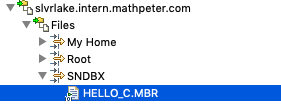
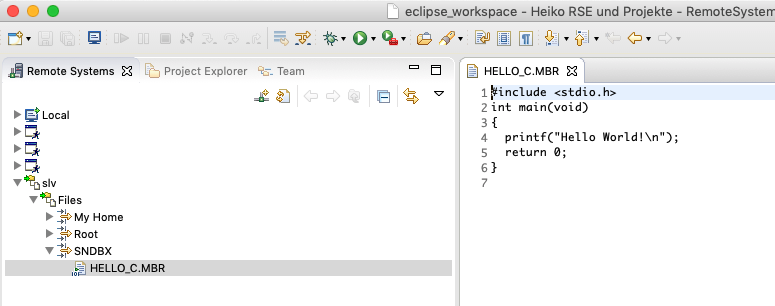
(see also: Beginners Project: Hello World (using C))


- Links
- In case you like vi (or vim) better: https://stackoverflow.com/questions/58937739/edit-sqlrpgle-file-over-ftp-with-vim
- Footnotes