User:Heiko: Difference between revisions
| Line 18: | Line 18: | ||
* <code>WRKMBRPDM FILE(ODBC/ODBCDB)</code> Work with this file. | * <code>WRKMBRPDM FILE(ODBC/ODBCDB)</code> Work with this file. | ||
* <code>F6</code> to create new member, insert member's name and type <code>PF</code>:<br/>[[Image:ODBCDB01.png|666px]] | * <code>F6</code> to create new member, insert member's name and type <code>PF</code>:<br/>[[Image:ODBCDB01.png|666px]] | ||
* Enter this DDS: ([https://www.ibm.com/support/knowledgecenter/en/ssw_ibm_i_72/rzakc/rzakcdatel.htm Learn what the below means]) | * Enter this DDS: ([https://www.ibm.com/support/knowledgecenter/en/ssw_ibm_i_72/rzakc/rzakcdatel.htm Learn what the below means] [https://www.ibm.com/support/knowledgecenter/en/ssw_ibm_i_74/rzasb/cpdtex.htm Especially time- and dateformats]) | ||
***************** Datenanfang ******************************************************************************************* | ***************** Datenanfang ******************************************************************************************* | ||
0001.00 A R CALLS 191002 | 0001.00 A R CALLS 191002 | ||
Revision as of 11:09, 14 October 2019
About
This is Heikos personal page, in which he maybe shares some private information or collects bits for new articles.
Personal information
Heiko has been in IT since the 90s, but never worked with an AS/400…until 2019. He'll document his first steps in the hope they will be useful to others.
Ideas for new articles
Project: Access database with ODBC
Create a database
I suggest you try Beginners Project: 99 Bottles Of Beer (using REXX) and Beginners Project: Hello World (using database and display file) before you try this![1]
Create a database to play with
- This is the third project Heiko did, so his personal Library was getting a bit cluttered. Therefore, let's create a library just for this niew project:
CRTLIB LIB(ODBC) TEXT(Library for ODBC project)
CRTSRCPF FILE(ODBC/ODBCDB) RCDLEN(112) TEXT('Project ODBC and Database')to create new physical file to hold the DDS.WRKMBRPDM FILE(ODBC/ODBCDB)Work with this file.F6to create new member, insert member's name and typePF: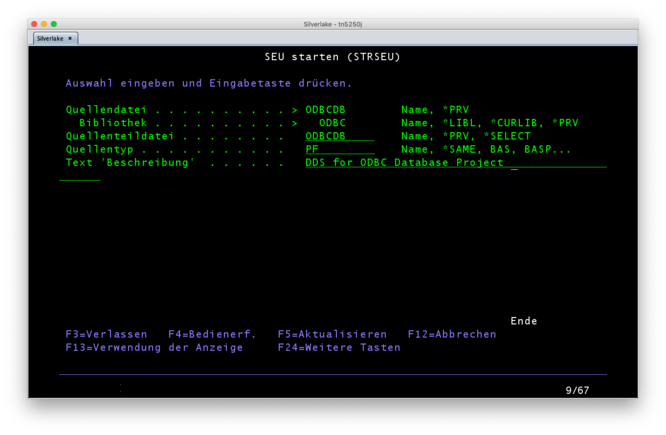
- Enter this DDS: (Learn what the below means Especially time- and dateformats)

        ***************** Datenanfang *******************************************************************************************
0001.00      A          R CALLS                                                                                  191002
0002.00      A            CALLER        42A                                                                      191002
0003.00      A            CALLED        42A                                                                      191002
0004.00      A            DATE            L                                                                      191002
0005.00      A            TIME            T                                                                      191002
0006.00      A            TIMESTAMP       Z                                                                      191002
        ******************Datenende *********************************************************************************************
14to compile…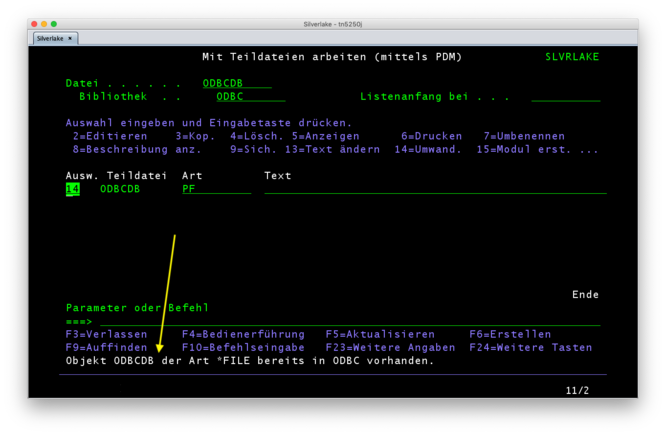
…I failed again. Stupid me. I can't create a new physical database file in the same place, where source physical file (with the same name!) exists.- Just rename the DDS member from
ODBCDBtoODBCDBPF: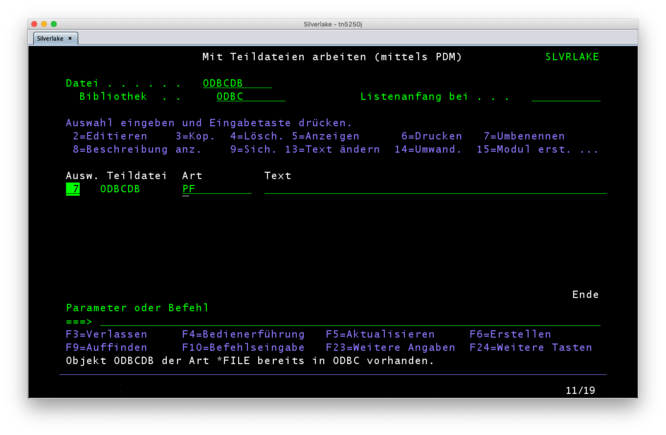
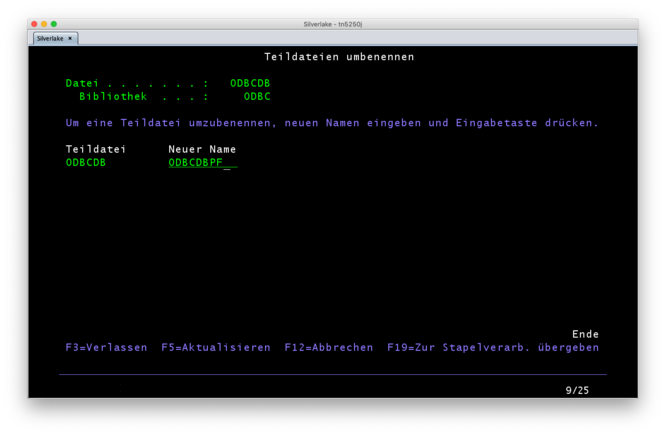
- And try again.
- Check with
DSPMSG[2] whether the compile was successful or not. If it did, you find the new PF in the library: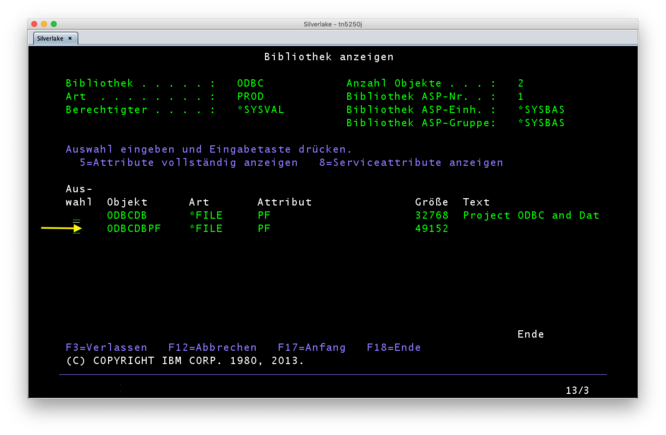
- Just rename the DDS member from


Insert content into the database
HIER WEITERMACHEN!
STRSQL+F4- Enter the library name, in this example
ODBC[3]
- Enter the library name, in this example
- In the interactive SQL session, enter:
INSERT INTO CALLS (CALLER, CALLED, TIME, DATE, TIMESTAMP) VALUES ('Ernie', 'Bert', 2019-10-05, '23:23', '2019-10-05 23:23:42')[4] - There are many ways to display the result:
- If you're still in STRSQL, enter:
SELECT * FROM CALLS - On command line, try this:
DSPF FILE(ODBC/ODBCDBPF) - Or use
STRDFU, select option 5 and fill out the displayed form.
- If you're still in STRSQL, enter:
Articles to maintain
- Beginners Project: 99 Bottles Of Beer (using REXX)
- Beginners Project: Hello World (using C)
- Beginners Project: Hello World (using database, display file and RPG)
- Editing Source Files using Eclipse and FTP
- Compile Sources Without Queuing
Sandbox
Screen mit MW-Bordmitteln
                                  Anmelden
                                              System  . . . . . :   SLVRLAKE
                                              Subsystem . . . . :   QINTER
                                              Bildschirm  . . . :   QPADEV0004

               Benutzer  . . . . . . . . . . . .
               Kennwort  . . . . . . . . . . . .
               Programm/Prozedur . . . . . . . .
               Men}  . . . . . . . . . . . . . .
               Aktuelle Bibliothek . . . . . . .


                                       (C) COPYRIGHT IBM CORP. 1980, 2013.
Und nun Screen mit Bordmitteln und etwas HTML-Foo
                                  Anmelden
                                              System  . . . . . :   SLVRLAKE
                                              Subsystem . . . . :   QINTER
                                              Bildschirm  . . . :   QPADEV0004

               Benutzer  . . . . . . . . . . . .
               Kennwort  . . . . . . . . . . . .
               Programm/Prozedur . . . . . . . .
               Men}  . . . . . . . . . . . . . .
               Aktuelle Bibliothek . . . . . . .


                                       (C) COPYRIGHT IBM CORP. 1980, 2013.
Using (not-working) console-tag
<console> Test </console>
<console>
Anmelden
System . . . . . : SLVRLAKE
Subsystem . . . . : QINTER
Bildschirm . . . : QPADEV0004
Benutzer . . . . . . . . . . . .
Kennwort . . . . . . . . . . . .
Programm/Prozedur . . . . . . . .
Men} . . . . . . . . . . . . . .
Aktuelle Bibliothek . . . . . . .
(C) COPYRIGHT IBM CORP. 1980, 2013.
</console>
- Links
- References:
- ↑ Heiko made this pretty brief, f.e. not every
F3or⏎is noted. - ↑ or use Compile Sources Without Queuing
- ↑ Shortcut:
STRSQL LIBOPT(ODBC) - ↑ Timestamp format: https://www.ibm.com/support/knowledgecenter/SSFMBX/com.ibm.swg.im.dashdb.sql.ref.doc/doc/r0007107.html